

Website security is no longer optional when 73% of websites have critical misconfigurations that expose them to attacks. As a developer or DevOps engineer, you face constant pressure to ship features while maintaining airtight security. A comprehensive checklist transforms this overwhelming challenge into a systematic process, helping you identify vulnerabilities before attackers do. This guide walks you through practical security criteria, essential headers, diagnostic tools, and framework comparisons to build a robust defense for your web applications.
Table of Contents
- Key takeaways
- Establishing core website security criteria
- Implementing essential security headers and configurations
- Leveraging diagnostic tools in development workflows
- Comparing checklist frameworks for comprehensive coverage
- Explore automated security checks with VibeDoctor
- FAQ
Key Takeaways
| Point | Details |
|---|---|
| Audit checklist scope | The 50 point AppSec audit covers six areas and aligns with OWASP ASVS and SOC2. |
| Security headers adoption | Headers such as HTTP Strict Transport Security and Content Security Policy are underutilized despite their strong protective benefits. |
| Security diagnostic tools | Tools like OWASP ZAP and Semgrep help identify vulnerabilities early in development. |
| CI CD integration | Integrating security checks into automated pipelines ensures code is validated before production. |
| Remediation prioritization | Prioritize fixes by audit scores to maximize risk reduction, starting with authentication if it shows the most issues. |
Establishing core website security criteria
Building an effective security checklist starts with understanding what actually matters. The 50-point AppSec audit checklist organizes security into six fundamental areas: code security, authentication and authorization, dependency management, API security, infrastructure hardening, and continuous monitoring. These categories align with industry frameworks like OWASP ASVS and SOC2, giving you a structured approach that scales from startups to enterprise applications.
Code security forms your first line of defense. You need to scan for SQL injection vulnerabilities, cross-site scripting flaws, and insecure deserialization issues. Static analysis catches these problems during development, long before they reach production. Authentication and authorization deserve equal attention because even perfect code becomes useless when attackers bypass login screens or escalate privileges through misconfigured access controls.
Dependency management has become critical as modern applications rely on hundreds of third-party packages. A single vulnerable library can compromise your entire stack. API security extends beyond simple authentication to include rate limiting, input validation, and proper error handling that doesn't leak system information. Infrastructure hardening covers server configurations, network segmentation, and encryption at rest and in transit.
Continuous monitoring ties everything together. Real-time alerts let you respond to incidents within minutes rather than discovering breaches months later through customer complaints or regulatory audits. Integrating security scans into your CI/CD pipeline ensures every code change gets validated automatically, preventing vulnerable code from ever reaching production.
Pro Tip: Prioritize security areas based on your audit scores. If authentication shows multiple failures while your code security passes cleanly, focus remediation efforts on fixing auth issues first for maximum risk reduction.
Critical security checklist components:
- Input validation and output encoding across all user touchpoints
- Secure session management with proper timeout and token rotation
- Error handling that logs details internally without exposing them externally
- Regular security patches applied within 48 hours of release
- Principle of least privilege enforced for all service accounts
Implementing essential security headers and configurations
Security headers provide a powerful yet underutilized defense layer. Research shows HSTS adoption at only 51.7% among top websites, while CSP reaches just 27.3%. These low numbers represent massive missed opportunities because headers require minimal effort to implement but deliver substantial protection against common attack vectors.
HTTP Strict Transport Security forces browsers to use HTTPS exclusively, preventing downgrade attacks that trick users into insecure connections. Content Security Policy blocks unauthorized script execution, stopping cross-site scripting attacks even when coding mistakes slip through code review. X-Frame-Options prevents clickjacking by controlling whether your site can be embedded in iframes. X-Content-Type-Options stops browsers from MIME-sniffing responses, eliminating a clever attack vector that exploits browser behavior.
Header adoption and impact data:
| Header | Adoption Rate | Primary Protection | Configuration Complexity |
|---|---|---|---|
| HSTS | 51.7% | Protocol downgrade attacks | Low |
| CSP | 27.3% | XSS and injection attacks | High |
| X-Frame-Options | 68.4% | Clickjacking | Low |
| X-Content-Type-Options | 45.2% | MIME confusion attacks | Low |
Misconfigurations cause more problems than missing headers entirely. A CSP that allows unsafe-inline defeats its purpose. An HSTS header without includeSubDomains leaves subdomains vulnerable. You need automated validation to catch these subtle errors that manual reviews often miss.
Server configuration determines header implementation quality. Nginx and Apache both support headers through simple configuration directives, but you must test them across your entire domain structure. Cloud platforms like Cloudflare and AWS CloudFront offer header management through their interfaces, making deployment easier but requiring careful attention to override behavior.
"Security headers act as a safety net, catching attacks that slip past application-level defenses. They work silently in the background, requiring no runtime overhead while providing continuous protection."
Automation ensures headers stay configured correctly across deployments. Infrastructure as code tools like Terraform and Ansible let you define header policies once and apply them consistently. Continuous monitoring detects configuration drift when manual changes or platform updates inadvertently remove protections.
Pro Tip: Use Mozilla Observatory to scan your site and get a letter grade for header security. It provides specific recommendations for improvement and tracks your progress over time as you implement fixes.
Leveraging diagnostic tools in development workflows
Diagnostic tools transform security from a periodic audit into continuous validation. OWASP ZAP performs dynamic application security testing by crawling your running application and probing for vulnerabilities like SQL injection and authentication bypasses. Unlike static analysis, DAST tools see your application as attackers do, identifying runtime issues that only appear when code executes.
Semgrep leads the static analysis category with pattern-based scanning that catches security flaws in source code. It runs in seconds, making it perfect for pre-commit hooks and pull request checks. Trivy specializes in software composition analysis, scanning container images and dependency manifests for known vulnerabilities. This prevents supply chain attacks by flagging compromised packages before they enter your codebase.
Essential diagnostic tool workflow:
- Run Semgrep during local development to catch issues immediately
- Execute comprehensive SAST scans in CI pipeline on every pull request
- Perform Trivy scans on container images before registry push
- Schedule weekly OWASP ZAP scans against staging environments
- Integrate findings into your issue tracker for systematic remediation
CI/CD integration makes security scanning automatic and consistent. GitHub Actions, GitLab CI, and Jenkins all support security tool plugins that fail builds when critical vulnerabilities appear. This shift-left approach catches problems early when fixes cost less and cause fewer delays.
Workflow automation balances security with velocity. You can configure tools to block deployments for critical and high severity findings while allowing medium and low issues to generate warnings. This prevents security from becoming a bottleneck while ensuring serious vulnerabilities never reach production.
Supply chain security deserves special attention because dependencies introduce code you didn't write and can't fully audit. Trivy and similar tools check dependencies against vulnerability databases, alerting you when packages need updates. Automated dependency updates through Dependabot or Renovate keep your stack current with minimal manual effort.
Integrating automated security checks into your daily workflow creates a security-first culture where everyone takes responsibility. Developers see scan results immediately and learn to avoid common mistakes. Security teams get comprehensive visibility without manually reviewing every code change.
Comparing checklist frameworks for comprehensive coverage
Choosing the right security checklist framework depends on your team's maturity and resources. The 50-point AppSec checklist provides granular coverage across code, infrastructure, and operations. It aligns with multiple standards including OWASP Top 10, CWE Top 25, and SOC2 requirements, making it ideal for teams pursuing compliance certifications or building security programs from scratch.
Simplified 15-step checklists offer faster implementation for smaller teams or projects with limited security expertise. They cover essential controls like HTTPS enforcement, input validation, and authentication basics without overwhelming developers. However, this brevity means gaps in coverage that might matter as your application grows or handles sensitive data.
OWASP ASVS represents the comprehensive end of the spectrum with three verification levels ranging from basic to advanced. Level 1 suits most web applications, Level 2 handles sensitive data, and Level 3 addresses high-assurance systems like banking platforms. The depth comes with complexity that requires security expertise to implement correctly.
Security framework comparison:
| Framework | Complexity | Coverage Scope | Best For | Implementation Time |
|---|---|---|---|---|
| 50-point AppSec | Medium | Code, infra, ops, monitoring | Growing teams building security programs | 2-3 months |
| 15-step simplified | Low | Essential controls only | Startups, MVP projects | 2-3 weeks |
| OWASP ASVS | High | Comprehensive application security | Enterprise, regulated industries | 6-12 months |
| CIS Benchmarks | Medium | Infrastructure and configuration | DevOps teams, cloud deployments | 1-2 months |
CIS Benchmarks focus heavily on infrastructure security with prescriptive configuration guidelines for operating systems, cloud platforms, and network devices. They excel at hardening servers and networks but provide less guidance on application-level security compared to OWASP frameworks.
Your choice should match your current security posture and available resources. Starting with a simplified checklist and gradually adopting more comprehensive frameworks as your team grows prevents overwhelming developers while steadily improving security. Many organizations use multiple frameworks simultaneously, applying ASVS for application security while following CIS Benchmarks for infrastructure.
Explore automated security checks with VibeDoctor
Implementing comprehensive security checklists manually across multiple applications quickly becomes unmanageable. VibeDoctor streamlines this process by connecting directly to your GitHub repository and running automated security checks across 15 critical areas. You get instant visibility into security headers, API key leaks, authentication weaknesses, and code quality issues without installing agents or granting code modification access.
The platform integrates security scanning into your existing development workflow through IDE connections via MCP, providing real-time feedback as you code. This immediate validation helps you fix vulnerabilities during development rather than discovering them weeks later in production. Combined coverage of security, performance, and code quality gives you a complete health assessment in one place.
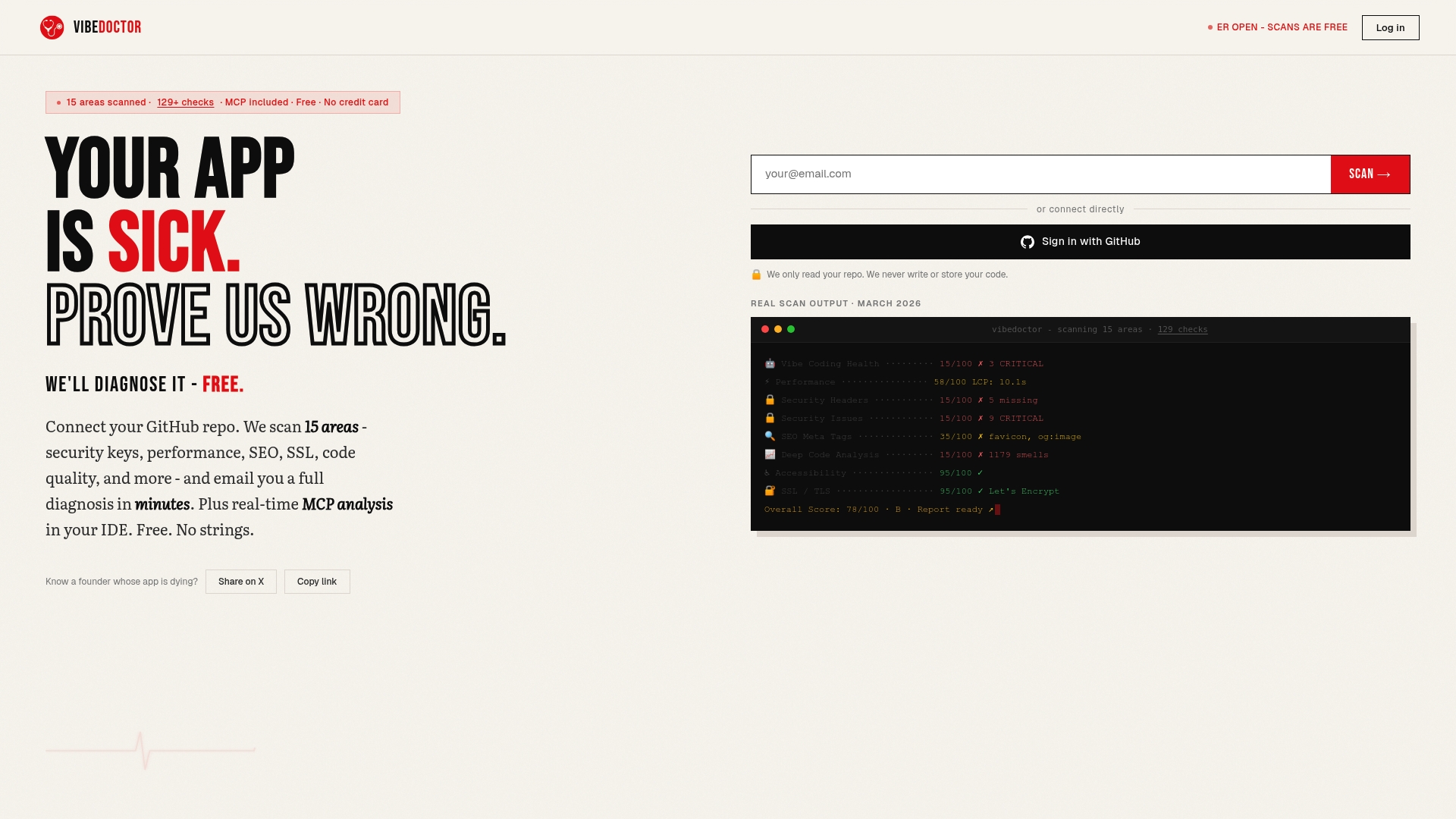
Whether you're securing API endpoints or performing comprehensive application audits, VibeDoctor's free AI code scanner delivers actionable insights without requiring security expertise. The detailed diagnostic reports highlight specific issues with fix recommendations, helping your team systematically improve security posture while maintaining development velocity.
FAQ
What are essential security headers to implement?
HTST, CSP, X-Content-Type-Options, and X-Frame-Options form the core security header set that protects against the most common web attacks. Implement them through your web server configuration files or reverse proxy settings for consistent enforcement. These headers work immediately without requiring application code changes and provide defense-in-depth protection.
How do diagnostic tools improve website security?
Diagnostic tools automate vulnerability detection across your codebase, dependencies, and running applications, catching issues that manual reviews miss. Integrating them into CI/CD pipelines ensures continuous security validation with every code change. They reduce the time between vulnerability introduction and detection from months to minutes, dramatically lowering your risk exposure.
Is the 50-point AppSec audit checklist suitable for all teams?
The 50-point checklist works best for teams with dedicated security resources or those building mature security programs aligned with compliance requirements. Smaller teams or early-stage startups benefit more from simplified 15-step checklists that cover essential controls without overwhelming limited resources. You can always start simple and adopt more comprehensive frameworks as your security maturity grows.
How often should I run security scans on my website?
Run static analysis and dependency scans on every code commit through automated CI/CD integration for continuous protection. Schedule dynamic application scans weekly against staging environments and monthly against production to catch runtime vulnerabilities. Critical production systems warrant daily automated scans with immediate alerting for new findings.
Can security headers break existing website functionality?
Incorrectly configured CSP headers commonly break sites by blocking legitimate scripts, especially when migrating from no policy to strict enforcement. Start with CSP in report-only mode to identify issues before enforcement, then gradually tighten policies. Other headers like HSTS and X-Frame-Options rarely cause problems but should still be tested in staging before production deployment.